|
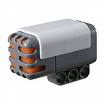
In this lesson we will use the NXT sound sensor
to turn the LEGO 9797 car into a sound controlled car.
Exercise 1 - Test of the Sound SensorFirst, you should mount the sensor on the LEGO 9797 car as described in in LEGO Mindstorms Education NXT Base Set 9797 building instruction page 24 to page 26. Second, program, compile and download a simple sound sensor test program similar to the ultrasonic sensor test program of Lesson 2, SonicSensorTest.java. Place the car at a fixed position and make sounds of different loudness and at different distances. Use this to give a description of the readings from the sound sensor.Exercise 2 - Data loggerAs described in Lesson 1, a data logger, [2], is a mechanisme that can be used to collect and record data from e.g. a sensor for later inspection. In the leJOS system a data logger can be implemented to collect data and record them in a flash file. An example of a simple data logger is DataLogger.java. By means of this data logger e.g. sound data can be collected and recorded in a file Sample.txt as shown in the data collection program SoundSampling.java. The data in the file can then be transfered to the PC by means of the tool nxjbrowse. The sampled data can then be used to plot a graph of the sound level data.Exercise 3 - Sound Controlled CarAs a first application of the sound sensor try the program SoundCtrCar.java. The program uses a simple class Car.java to move the car forward, left, right, etc. Describe the behaviour of the car as you make sounds e.g. by shouting or clapping. Describe how the program interpretes readings from the sound sensor as loud sounds.Exercise 4 - ButtonListenerIn the program SoundCtrCar.java the ESCAPE button is polled in the outermost loop so that the ESCAPE button can be used to stop the program. This does not work when the program loops in one of the four inner loops. You can make the ESCAPE button always work as a program terminator if you also poll the state of the button in the inner loops. But you can also use the ButtonListener mechanism to listen for the ESCAPE button and exit when ESCAPE is pressed. A simple example of a ButtonListener can be seen in the leJos tutorial, [4]. Try this in the program.Exercise 5 - Clap Controlled CarSivan Toledo, [3], has investigated how the sound sensor can be used to detect claps. Through an investigation of a sequence of sound sensor readings during a clap he suggest the following method to detect a clap:A clap is a pattern that starts with a low-amplitude sample (say below 50), followed by a very-high amplitude sample (say above 85) within 25 milliseconds, and then returns back to low (below 50) within another 250 milliseconds. Try to use his method to detect claps and compare it to the method used in the program SoundCtrCar.java. Use the DataLogger class to record and investigate clap patterne. Exercise 6 - Party Finder RobotTry to mount two sound sensors and use the readings from these sensors to always drive towards the location with loud sound. Consider to use the raw sensor values from the sound sensors to get a better accuracy. The raw value from a sensor is obtained from the SensorPort method readRawValue. Remember to set the type and mode as in the constructor of the SoundSensor class, otherwise the raw value returned will be -1. |